
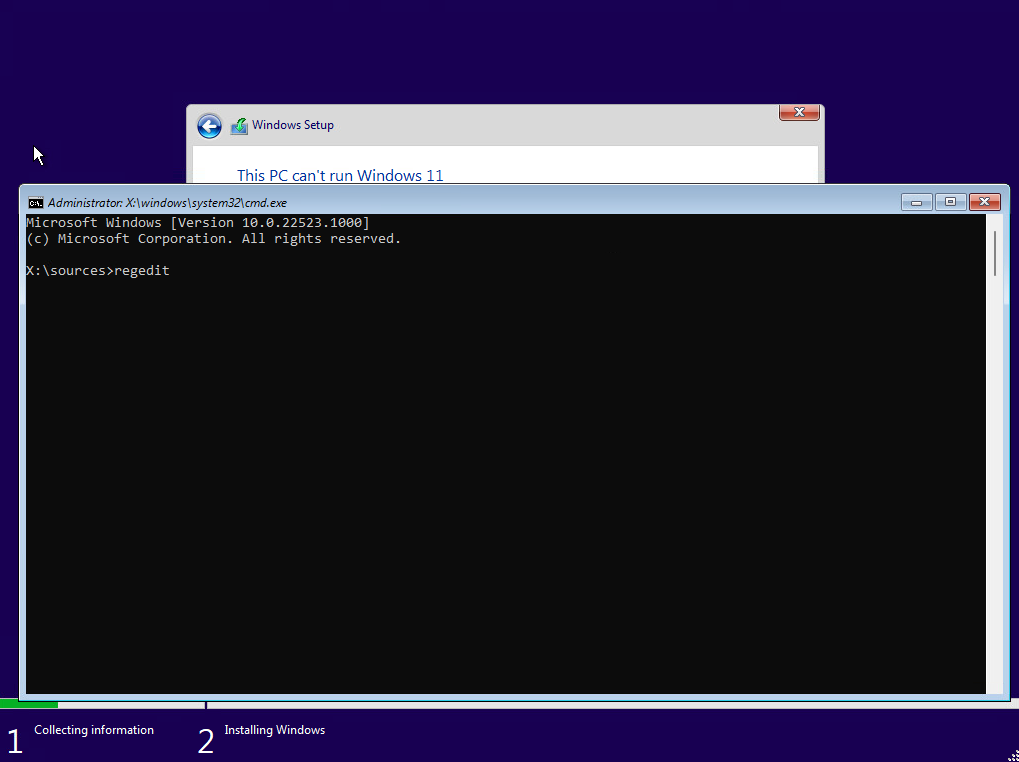
When you get the error picture above simply press Shift + F10 and this will bring up a dos prompt. Type regedit and hit enter.
Navigate to HKEY_LOCAL_MACHINE\SYSTEM\Setup and create a new Key called: LabConfig
Create inside the LabConfig Key a ByPassTPMCheck DWORD (32-bit) with the value of 1
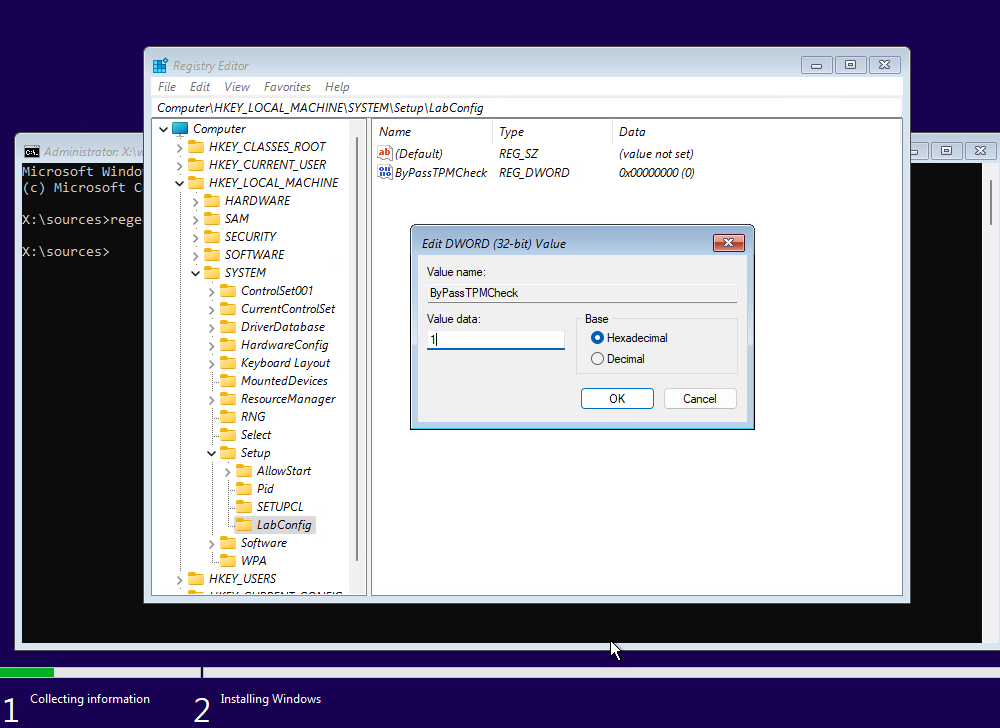
Click OK after editing the value data and then close out of all of the screens. Once you click on the red x in the corner of the setup screen, the setup will start again and ignore the TPM requirements.

No comments:
Post a Comment